The Best DAWs of 2026: All Five Compared and Ranked
Explore the best DAW for music production. Find out which DAWs lead the way in features, ease of use, and more to enhance your workflow.
Kilian27 May 2026Updated 27 September 202616 min read
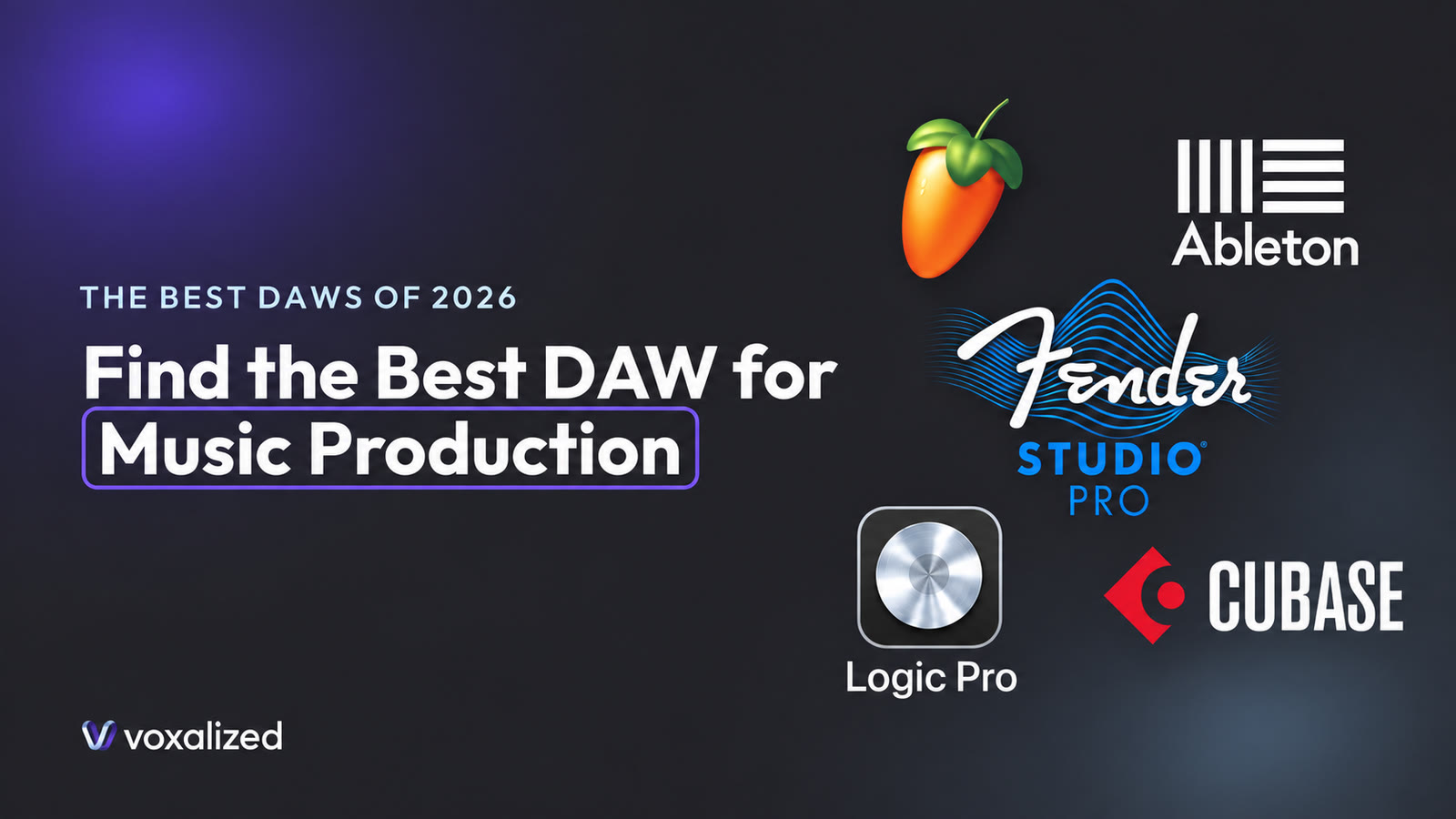
Picking a DAW in 2026 is a different decision than it was two years ago. The feature gap between the big five has closed almost completely: stem separation, AI-assisted editing and clip launching now ship in nearly every one of them. What is left to choose between is workflow, interface, ecosystem and how much you want to pay.
One name also changed. On 13 January 2026, PreSonus Studio One became Fender Studio Pro. Same DAW, same development team, new badge, plus native Fender amp and effects plugins and an AI audio-to-note converter. If you learned the software as Studio One, nothing you know is out of date except the logo.
This guide compares the five DAWs professional producers actually use, scores them across the things that matter day to day, and tells you which one fits the music you make.
What actually changed in 2026
Three shifts are worth knowing before you spend money.
Stem separation stopped being a feature. Two years ago, pulling a vocal out of a finished track meant an external service or a standalone app. In 2026 it is built into FL Studio, Ableton Live, Logic Pro, Cubase and Fender Studio Pro. Nobody can sell you that as a differentiator any more, and you should not pay extra for it. (If the terminology is new to you, we broke it down in Vocal stems explained.)
AI moved from marketing to the toolbar. Logic's Session Players respond musically instead of playing fixed loops. Fender Studio Pro converts audio to notes so you can layer a hummed idea with an instrument. Cubase and Ableton both shipped assisted editing. None of it writes your music, and all of it saves real time on the boring parts.
The versions you want are newer than you think. If you are comparing against an older article, the current releases are FL Studio 2026, Ableton Live 12.4, Fender Studio Pro 8.1, Logic Pro 12 and Cubase 15.
The 2026 comparison table
We ranked each DAW from 1 to 5 on the criteria that decide how a session actually feels. 1 is best. The winner of each row is in bold.
| Criterion | FL Studio | Ableton Live | Fender Studio Pro | Logic Pro | Cubase |
|---|---|---|---|---|---|
| Workflow | 5 | 2 | 1 | 4 | 3 |
| UX / UI | 4 | 5 | 2 | 1 | 3 |
| Ease of use | 5 | 2 | 3 | 1 | 4 |
| Native plugins | 2 | 1 | 5 | 4 | 3 |
| Popularity | 1 | 2 | 5 | 3 | 4 |
| Price (entry) | $99 | €79 | $99 | $199 | €99 |
| Price (full) | $449 | €599 | $399 | $199 | €579 |
| Free updates | forever | paid | paid | free | paid |
| Platform | Win / Mac | Win / Mac | Win / Mac | Mac only | Win / Mac |
Three things jump out of that table.
Logic Pro is the value outlier. There is no upgrade path to buy, because there is only one version. $199 buys the whole thing, including a plugin collection that would cost four figures bought separately. The catch is in the last row: Mac only.
FL Studio wins popularity and loses everything else. That is not a contradiction. It is the DAW most people start on and the one most people eventually fight with: fast to make a beat in, slow to run a long arrangement in, and full of small frictions you stop noticing until you try something else. The scores below explain why.
Nobody wins more than two rows. Logic takes UX and ease of use, and the other three winners are split one apiece. Cubase wins nothing and is still the only sensible choice for an entire profession. That is the honest headline of 2026: there is no best DAW, only a best DAW for a specific kind of work, and the table exists to show you which rows you actually care about.
What the rankings mean
Workflow is how fast an idea gets from your head into the session, and how little the software fights you on the way. Fender Studio Pro leads because of drag-and-drop consistency: almost anything can be dropped almost anywhere and it does the obvious thing, including dragging an effect straight onto an audio clip. Ableton follows closely for the opposite reason — Session View lets you build without committing to a timeline at all.
UX and UI is how the thing looks and reads over a six-hour session. Logic is the cleanest by a wide margin: generous spacing, readable type, and colour used to mean something. Ableton comes last, which surprises people. It is a beautiful piece of design, but the flat grey interface and tiny device panels are genuinely hard on the eyes for long stretches.
Ease of use is not the first week, it is the first year. Almost any DAW will get you a loop on day one. What separates them is how much friction is still there on day three hundred — how many clicks an automation lane costs, how often you re-route a mixer, how much you repeat yourself. Logic asks the least of you over time. FL Studio ranks last here precisely because it is the easiest to start in and the most repetitive to live in, and that gap is the single most common reason producers leave it.
Native plugins is what you can actually finish a record with, out of the box. Ableton Suite leads: Wavetable, Operator and the Effect Racks are not filler, they are instruments people build whole releases on. FL Studio's bundled synths punch above their reputation, and Cubase ships a serious orchestral and sampler set. Logic's collection is the largest by count and the best value for the money, but a lot of it is breadth rather than depth. Fender Studio Pro ranks last, though the new Fender amp models narrow that gap for guitar-led production.
Popularity matters more than producers like to admit. It decides how many tutorials exist, how many templates you can download, how quickly a bug gets discussed on a forum, and whether the engineer you collaborate with can open your session at all. FL Studio dominates here, particularly in hip-hop and trap.
FL Studio 2026
FL Studio 2026 landed in July and keeps what has always made it work: the Channel Rack and the Piano Roll. That piano roll is still the best in any DAW and it is not close. Step entry, strumming, arpeggiation, chord tools and ghost notes are things other DAWs need third-party plugins to match.
The 2026 release brought native stem separation, so you can pull a vocal or a drum loop out of a reference track without leaving the software.
The commercial argument is the strongest in the category: lifetime free updates. Buy Producer Edition once at $179 and every future version is included, forever. No other DAW on this list offers that, and over a ten-year career the difference runs into several hundred euros.
The editions matter. Fruity Edition at $99 cannot record audio, which makes it the wrong choice the moment you want to record a vocalist. Producer Edition at $179 is the real entry point. Signature at $269 and All Plugins at $449 add instruments you can also buy separately later.
Where FL Studio struggles is everything after the beat. Mixing a forty-track song in it is possible and plenty of hits were made that way, but the mixer routing takes more clicks than it should, an automation lane costs several more, and the Playlist is less comfortable than a traditional timeline once a session grows. None of that matters on your first track. On your three hundredth it is the reason people leave.
Best for: beatmakers, hip-hop and trap producers, and anyone on a budget who wants to stop paying for upgrades.
Ableton Live 12
Ableton Live 12.4 is the current version. The two-view design is still unique in this group: Session View for building loops and ideas without a timeline, Arrangement View for laying them into a song, and you move between them freely at any point.
For electronic music this remains the fastest path from idea to finished track. Warping is still the best time-stretching implementation in any DAW, and that matters enormously when you work with vocal material recorded at a different tempo than your project. Drop an acapella into a Live session and it matches your tempo automatically, usually without artefacts you need to fix. It is also the most comfortable DAW for building vocal chops.
Live 12.3 added native stem separation. Max for Live remains the deepest customisation system available in any DAW if you want to build your own devices rather than buy them.
The honest downsides are real. The interface is dense and hard to read for long sessions. Suite at €599 is one of the more expensive ways in, and Intro at €79 is limited enough that most people outgrow it within months. Ableton also charges for major upgrades, unlike FL Studio and Logic.
Best for: electronic producers, live performers, sound designers, and anyone working heavily with samples and acapellas. If that is you, our guide to finding EDM vocals is the natural next read.
Fender Studio Pro 8.1
Fender Studio Pro is the DAW formerly known as PreSonus Studio One, and version 8.1 is current. There is a free 30-day demo, which is the cheapest way to answer the question this article cannot answer for you. The January 2026 rebrand brought a visual refresh, native Fender amp and effects plugins, a new channel overview, updated samplers, AI-powered audio-to-note conversion and chord tools aimed at songwriters. Existing PreSonus customers moved to a new MyFender account platform.
Version 8 added Vocal Tune, a Studio Assistant that offers guidance while you work, and Moises integration. Underneath, it is the same software that quietly won over a lot of professionals during the past few years. The drag-and-drop workflow is the most consistent in the industry: drag a plugin onto a track, an effect onto a clip, a file into empty space, and each one does what you expected.
The feature nobody else on this list has is the Project Page: a full mastering environment inside the same application. You produce your album and master it in one place, with changes in a song automatically updating the master. For anyone releasing more than single tracks, that alone can justify the switch.
It ranks last on native plugins and on popularity, and the second of those is the real cost. Fewer tutorials, fewer templates, fewer collaborators who can open your session without exporting stems first.
Best for: producers who want one application from first idea to finished master, and songwriters working with guitars.
Logic Pro 12
Logic Pro is the best value in music production software and has been for years. $199, one time, no editions, no upgrade fees, and the bundled instrument and effect collection alone would justify the price if the DAW itself were mediocre. It is not.
Version 12 continues Apple's push into assisted production: Session Players that respond musically rather than playing static loops, native stem separation, and Mastering Assistant for a quick reference master.
The interface is the cleanest of the five. If you have never opened a DAW before, Logic is the least intimidating professional option on this list, and the gap between "beginner" and "professional" in it is smaller than anywhere else — you do not graduate out of Logic.
The limitation is absolute and worth stating plainly: macOS only. No Windows version exists, none is coming, and if you are on a PC this row of the table decides the whole comparison for you.
Best for: Mac users, songwriters, pop and R&B production, and anyone who wants the most software for the least money.
Cubase 15
Cubase is the oldest DAW here and still the standard in film scoring and orchestral work. If you write to picture, handle large orchestral templates or need detailed MIDI articulation control, nothing else comes close.
The MIDI editing is the deepest in the industry. Expression Maps, the Logical Editor and the Score Editor are tools the other four simply have no equivalent for. If you have ever wanted to run a conditional rule across two thousand MIDI notes, this is the only DAW that will let you.
Version 15 added native stem separation alongside the usual round of mixing and modulation improvements.
The learning curve is the steepest of the five by some distance, and Cubase Pro at around €579 is the most expensive entry to a full version. Cubase Artist and Elements exist at lower prices, but the features that make Cubase worth choosing mostly live in Pro.
Best for: composers, film and game scoring, orchestral and classical production, and engineers who need the deepest MIDI toolset available.
My own route through four of these
I have used four of the five DAWs on this list as my main workstation at some point, and the order I moved through them explains the rankings above better than any feature list.
I started on FL Studio and stayed there for four or five years. Somewhere between 50 and 80 million of my streams were produced entirely in it. I had no problems with it and, more importantly, I never questioned it — when a DAW is the only one you know, its quirks feel like how music production simply works.
What eventually pushed me out was repetition. Producing a lot, always from scratch, I started noticing how often I was doing the same small things. Why does getting an automation lane take five clicks? Why am I re-routing the mixer again on every new project? None of that is a dealbreaker on one track. Across a few hundred, it is hours.
So I looked around. I got a MacBook, which meant Logic Pro came with it, and Logic is still the DAW I find most inspiring to sit in front of. The interface and the visual feel are the best of the five, and I do not think that should be dismissed as a soft factor. You have to want to open the thing. Being inspired inside the software is part of the work.
Where I actually landed was Studio One, now Fender Studio Pro, and the reason is macros. Not only the obvious kind, like a single keystroke that takes a clip, reverses it, prints a reverb and bounces it back. The everyday ones matter more: Command 1 to 5 loads my five most-used plugins, the EQs and compressors I reach for on almost every channel. Option 1 to 5 loads my most-used instruments, Serum and Kontakt among them. Command-F opens a search field and I type the plugin name instead of hunting through a menu.
The result is that I work fast enough that it has an odd side effect: I sometimes load too many plugins, because loading one costs me nothing.
Ableton is the interesting counterweight. Its workflow is genuinely good, and two things in it have no real equivalent elsewhere. Effect Racks let you see an entire vocal chain in one place, on one device, instead of tracking it across a mixer console and a handful of sends. And the big pre-built racks, where you turn two or three knobs and the sound simply gets thicker, are something I have not found matched in another DAW.
What bothers me is smaller and constant: you cannot replace a sample by dragging a new one on top of it. FL Studio does that, Studio One does that, and in EDM production where you are auditioning twenty kicks, it adds up.
But here is the honest part. I am slower in Ableton, and that is not only a cost. Because a track takes me longer there, I notice that I make more deliberate decisions. In Studio One I move fast enough that speed occasionally becomes the problem. For EDM specifically, Ableton has earned its place for me.
Studio One still wins overall, for two reasons beyond the macros. Vocal comping is the best of any DAW I have used, and I write a lot of trailer and cinematic music, where it handles things Ableton makes painful. You can give individual MIDI notes their own track delays inside the arrangement and automate the mod wheel cleanly. Negative track delay exists in Ableton too, but the per-note control is not there in the same way.
If it sounds like Studio One borrowed the best idea from each of the others, that is roughly how it feels to use.
Which one should you actually pick?
- You make beats, hip-hop or trap: FL Studio. The piano roll and the lifetime updates settle it.
- You make electronic music or perform live: Ableton Live. Nothing else warps audio as well.
- You are on a Mac and want the most for your money: Logic Pro. $199 for that plugin bundle is not a close call.
- You want to produce and master in one place: Fender Studio Pro.
- You score to picture or write orchestral music: Cubase.
- You collaborate constantly: pick what the people around you use. Compatibility beats preference every time.
- You are completely new and unsure: on a Mac, Logic. On Windows, trial Ableton and FL Studio side by side for a week. Every DAW here offers a free trial, and seven days of actually using one tells you more than any comparison table, including this one.
The part no comparison table can score
Every DAW here will make a professional record. The differences that feel enormous while you are choosing turn out to be small once you are working, and producers who switch usually discover that their limitation was never the software. There are number one records made in all five of these.
What does change your records is what you put into them. A great vocal will lift a mediocre arrangement, and no plugin bundle will rescue a track built on a weak topline. That is the one part of the chain where the tool genuinely does not matter and the source does.
If you are looking for that source, every vocal on Voxalized is sung by a real, vetted singer, delivered as lossless WAV stems that drop straight into any of the five DAWs above, and licensed so you keep 100 % of your royalties.
Still deciding between the two most popular options? We compared them in detail in Ableton vs FL Studio. And once your vocal is in the session, How to mix vocals walks through getting it to sit properly.
Frequently asked questions
What is the best DAW for beginners in 2026?
Logic Pro if you are on a Mac: the cleanest interface of the five, the largest bundled plugin collection, and $199 once with no upgrades to buy. On Windows, trial Ableton Live and FL Studio side by side. FL Studio gets you a beat fastest, but it is also the DAW producers most often outgrow, so a week with both is worth more than either reputation.
Is FL Studio or Ableton Live better?
They win different rows. FL Studio has the best piano roll in any DAW and lifetime free updates, which suits beatmakers and hip-hop production. Ableton has the best time-stretching, the strongest bundled instruments and Effect Racks that hold an entire vocal chain on one device. For electronic music Ableton is the better long-term home; for beats, FL Studio.
What happened to PreSonus Studio One?
It was rebranded as Fender Studio Pro on 13 January 2026. Fender, which acquired PreSonus in 2021, moved the DAW and the Quantum and AudioBox interfaces under its own name. The software is unchanged apart from a visual refresh, native Fender amp and effects plugins, and AI audio-to-note conversion. Existing customers moved to a MyFender account.
Which DAWs still charge for upgrades?
Ableton Live, Cubase and Fender Studio Pro charge for major version upgrades. FL Studio includes every future version forever with any paid edition, and Logic Pro has no paid upgrades at all because there is only one version. Over a decade that difference adds up to several hundred euros.
About the author
 KilianFounder of Voxalized